You are preparing a visa application, a consular registration, or an online form, and you are asked for a copy of your biometric passport. The scanner produces a blurry image, the file is too large, or the photographed page is not the correct one. Such errors can block entire processes, sometimes for several weeks.
Data page or signature page: which part of the passport to scan
Most application refusals related to the passport copy stem from a poor choice of page. People scan the cover, the legal information page, or the double page with the most recent visa. The expected document, in almost all procedures, is the page containing the photo and the machine-readable zone (the character strip at the bottom, called MRZ).
This page includes the last name, first names, date of birth, nationality, passport number, and expiration date. It is the one that verification systems read first. On a French biometric passport, it is located on page 2 or 3 depending on the document’s generation.
To find out how to make a copy of a biometric passport without choosing the wrong page, check a simple point: the MRZ strip must be fully readable on the copy, including the chevrons (the signs “<” between the information).

Digital copy of passport: scan, photo, or screenshot
There are three methods to produce a digital copy, and they are not all equal.
Flatbed scanning
This is the most reliable method. The document is laid flat, the lighting is even, and the resolution is controlled. You get a clear file, without shadows or distortion. The biometric passport has a thick binding: you need to press lightly on the lid to avoid a black band in the center.
Photo with a phone
This is the most common method and the one that generates the most errors. Three points to respect:
- Place the passport on a dark, uniform surface so that the device does not overexpose the white page
- Frame only the data page, without the edges of the table or fingers holding the document open
- Disable the flash, which creates a white reflection on the laminated surface of the biometric passport and makes the photo unreadable
Feedback varies on this point, but most scanning applications built into recent phones produce an acceptable result if the lighting is correct.
Screenshot of an existing scan
A screenshot degrades the resolution and may trigger a rejection. Anti-fraud tools now detect image metadata, and a file from a screenshot does not carry the same information as a direct scan or an original photo. This type of copy should be systematically avoided for an official file.
File format and size: the technical constraints that block applications
Producing a clear image is not enough if the file does not pass the online form. Each platform imposes its own limits on format and size.
The most commonly accepted formats are PDF, JPG, PNG, and sometimes TIFF. The DOC or DOCX format is accepted on certain platforms (notably Canadian) to combine multiple pages into a single file. The file name itself can also pose problems: some systems reject special characters, accents, or multiple spaces.
- Check the maximum allowed size before scanning (often limited to a few megabytes)
- Prefer PDF format for a single-page document, JPG for a direct photo
- If the file is too large, reduce the resolution rather than cropping or compressing with a dubious online tool
- If two faces or two pages need to be included in the same submission, combine them into a single file rather than sending two separate attachments
A file rejected by the system does not always generate an explicit error message. One might think the form has crashed, while it is actually the file size or format that is the issue.
Keeping a copy of your passport while traveling: what authorities recommend
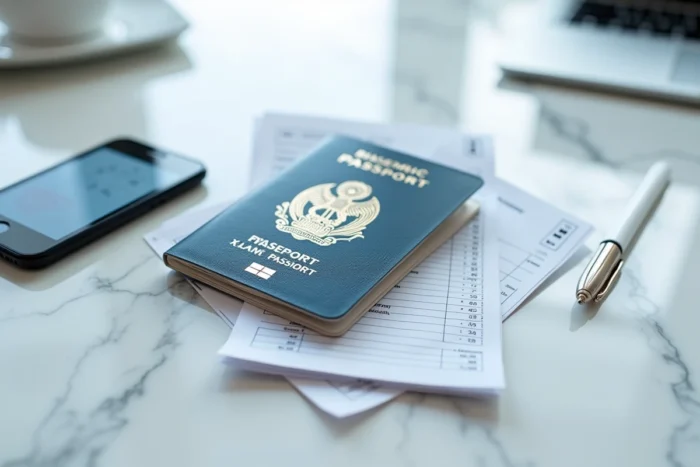
Beyond administrative procedures, a copy of the biometric passport serves a security role during travel. Several governments now explicitly recommend keeping both a paper photocopy and a digital copy of your passport when traveling abroad.
The Government of Canada advises in its country sheets to keep a photocopy of your passport and to maintain a digital copy of your identity documents and travel papers. The French Ministry of Foreign Affairs issues a similar recommendation, particularly in its alerts regarding certain destinations.
In practice, one should store the digital copy in an accessible messaging service offline, or in a cloud storage space protected by a password. Do not store the copy in the phone’s photo gallery without protection, as in the event of device theft, the document is directly accessible.
Editing and cropping: the red line not to cross
Cropping a passport copy to remove a table edge or straighten a slightly tilted perspective is acceptable. Adjusting the contrast to make the text more readable is also fine. However, any intervention that alters the visible content of the document (editing the ID photo, removing a stamp, adjusting the brightness to the point of obscuring information) turns the copy into a potentially fraudulent document.
Online identity verification tools now analyze the consistency of metadata and pixels. Excessive cropping or editing applied to the MRZ area may be enough to trigger an automatic rejection. The rule remains simple: the copy must faithfully reproduce what the open passport shows, without adding or removing information.
The most reliable reflex is to produce the copy in a single shot (scan or photo), to check that the MRZ area is fully readable, and not to reprocess the file before sending. A raw but readable document passes checks better than an edited image that appears sharper.