The Keolis Orléans SelfService is a web portal that allows users of the TAO network to manage their transport account independently. The interface relies on authentication via username and password, with a rarely mentioned technical constraint: browser cookies must be enabled for the login to succeed.
Disabled cookies and technical blocks on the SelfService portal
The login page of the SelfService displays an explicit message: without active cookies in the browser, access is denied. This prerequisite, seemingly trivial, regularly blocks users whose mobile browser or private browsing mode disables cookies by default.
To check this setting, you need to access the browser settings, then go to the “privacy” or “cookies” section. On most mobile browsers, the option is found under “site settings.” Enable cookies for the domain selfservice.keolis-orleans.fr, then reload the page.
Another frequent block comes from JavaScript. If a script blocker or security module prevents JavaScript from executing on the page, the login form simply does not appear. Temporarily disable these extensions to test.
Those who wish to use the Keolis Orléans self-service without encountering these blocks can also switch to a different browser (Firefox, Chrome, Safari) to isolate the problem.

Logging into the Keolis Orléans SelfService without an active account or forgotten credentials
The majority of online guides describe the login procedure once the user already has their credentials. The real problem arises when this is not the case.
Recovering a lost password
The login page of the SelfService portal generally offers a reset link. The process involves the email address associated with the account at the time of subscription. If this address is no longer accessible, the online procedure is insufficient.
In this case, visiting a TAO commercial agency remains the only reliable solution. The agent can verify the user’s identity, update the email address, and restart the access creation process.
No account at all
Users who subscribed to a physical agency do not necessarily have an associated SelfService account. Activating the web portal requires a separate step, often initiated by the user with customer service or at the agency. Without this step, the credentials do not exist, and no password can be recovered.
- First, check if a welcome email containing your credentials was sent at the time of subscription (including spam folder)
- If no email exists, contact TAO customer service by phone or visit an agency with an ID
- Explicitly request the activation of your access to the SelfService portal, as this step is not always offered automatically
Features accessible from the Keolis Orléans SelfService portal
Once logged in, the portal allows users to view and manage several aspects of their transport subscription. The interface centralizes operations that would otherwise require a trip to the agency.
Checking the balance and validity of the subscription is the primary use. Users can verify the expiration date of their ticket, view the history of their top-ups, and, depending on the periods, renew directly online.
The dematerialization of transport tickets is a strong trend on Keolis networks. In Orléans, access via smartphone is increasing, with operations designed to be quick and compatible with various formats (physical card, mobile app, web portal).
Modifying personal data (address, email, phone number) can also be done from the portal. This point deserves attention: an outdated email address blocks any future password recovery. Updating this information upon first login avoids complications later on.

Alternatives when the SelfService web portal is inaccessible
The web portal is not the only channel for managing a TAO subscription. Several alternatives exist, and knowing them prevents being stuck.
- TAO commercial agencies allow all operations: subscription, renewal, modification of details, recovery of access
- The TAO network mobile app offers some consultation and ticket purchase features without going through the SelfService portal
- The customer service hotline can unlock an account or provide credentials after verifying identity
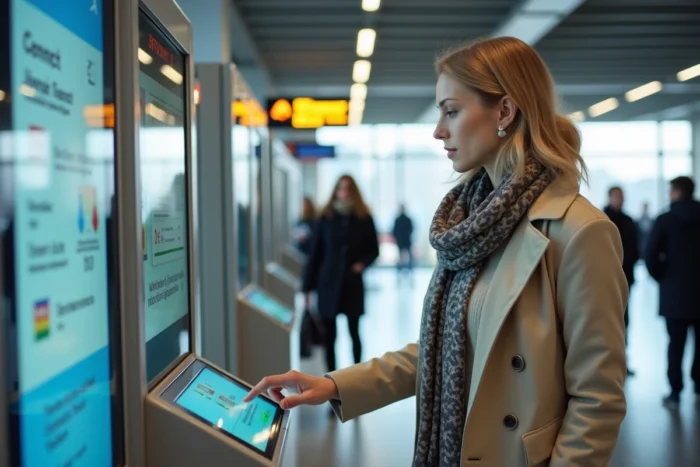
- Station kiosks allow recharging a transport ticket without web connection
For users whose browser poses persistent problems (cookies blocked by company policy, old device), the mobile app often proves to be the most reliable channel. It manages authentication independently, without relying on browser settings.
The TAO network is part of a broader movement towards interoperability of transport cards. Recent developments on other French networks show a convergence towards dematerialized formats usable across multiple territories, which could ultimately simplify access to online services for Orléans users.
The next time the SelfService login page displays a blank screen or rejects your credentials, the problem rarely originates from the portal itself. Cookies, JavaScript, expired email address: these three points cover the vast majority of blocks encountered by users of the TAO network.